Burden Room AV System Reminder

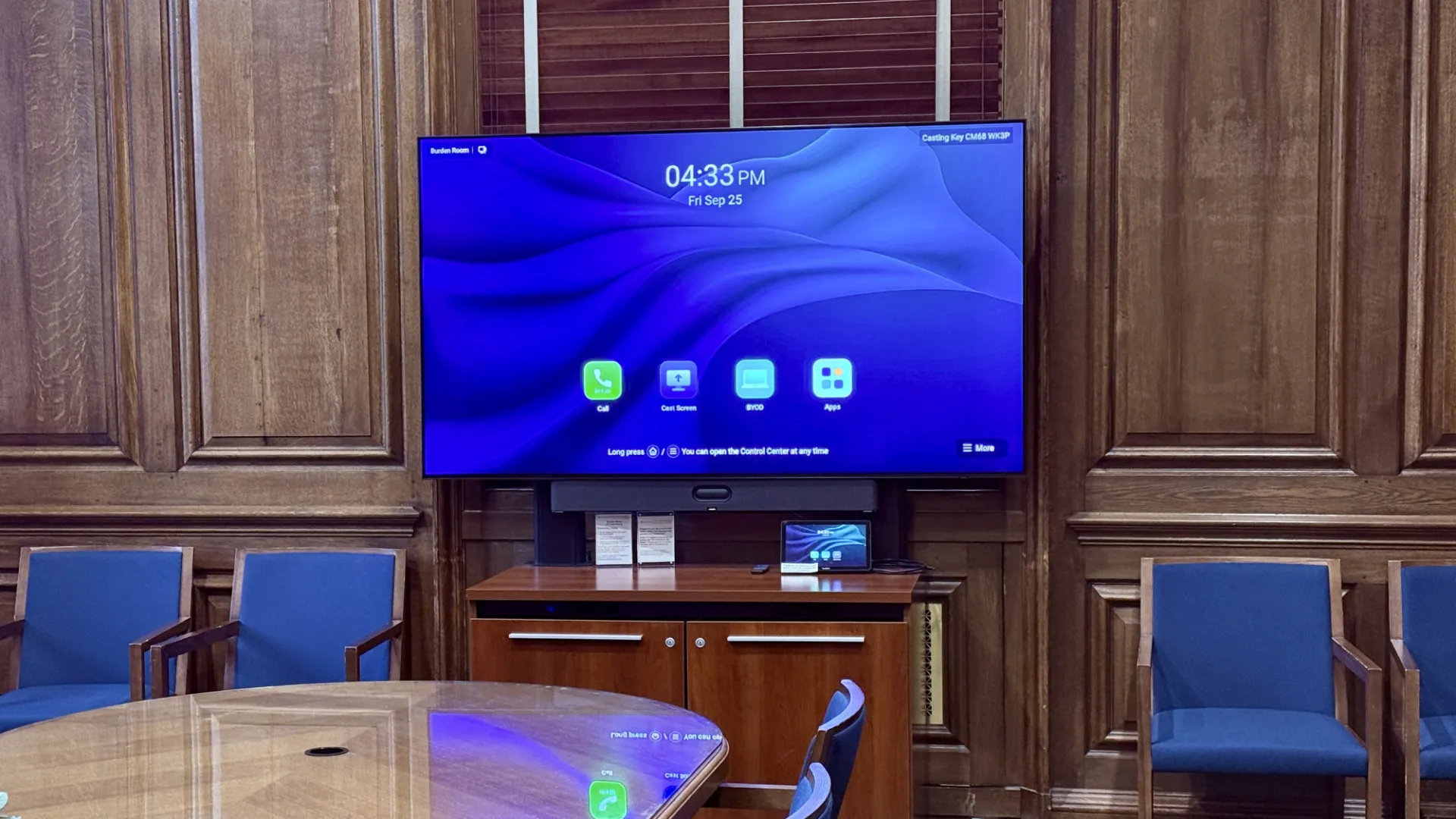
Last spring, Event Management installed permanent audiovisual (AV) equipment with integrated Zoom capabilities in Low Library's Burden Room, providing users with a simple, self-service solution for presentations and meetings. The system allows guests to connect a laptop using the provided USB-C cable and immediately access the room's display, speakers, and microphones without the need for an on-site AV technician. 

September 29, 2026
How to Use the System

To use the system, tap the control tablet to wake it, connect your device with the provided USB-C cable, and select "OK" when prompted on your screen. You can then share presentations, videos, and other content through the room's AV system. 

To turn off the system in this room, simply take the remote and press the power button.

Important Reminder

Several users have recently reported being unable to use the equipment because it was unplugged after a previous meeting. When your event concludes, simply use the remote control to power off the system. Please do not unplug any AV equipment or cables. Leaving the system connected and powered down ensures it is ready for the next guest and helps avoid service disruptions.